Claude (Web & Desktop App)
Follow these instructions to connect Mobile Next Cloud MCP to your Claude Web and Claude Desktop. There is nothing to download.
-
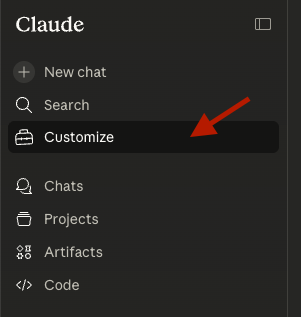
In left sidebar, click "Customize"
-
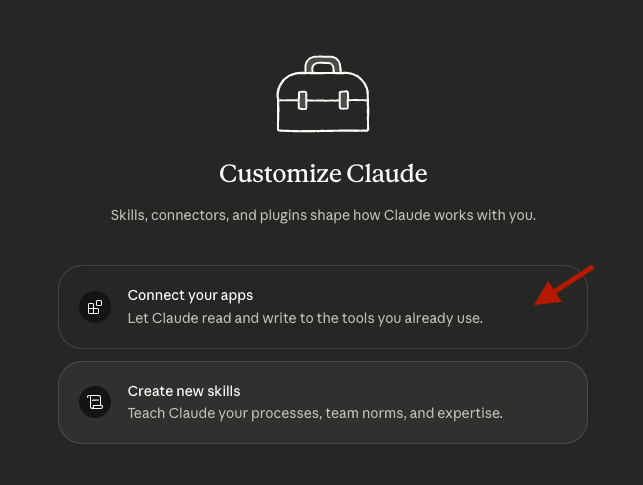
Select "Connect your apps"
-
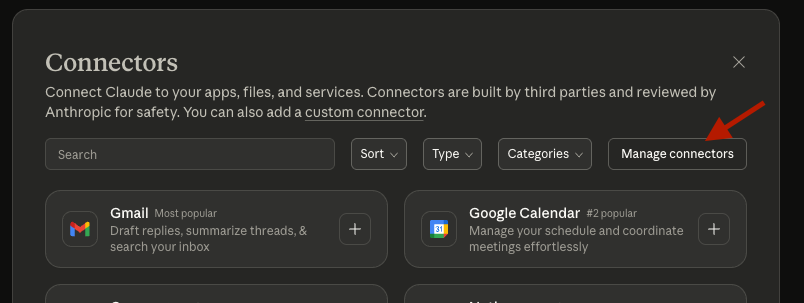
Click on "Manage connectors"
-
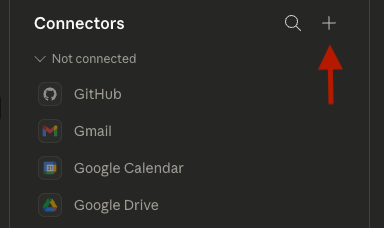
Click on "Plus" to add a new connector
-
Select "Add custom connector"

-
Type "mobilenext" in name field, and
https://app.mobilenext.ai/mcpin url, click "Add"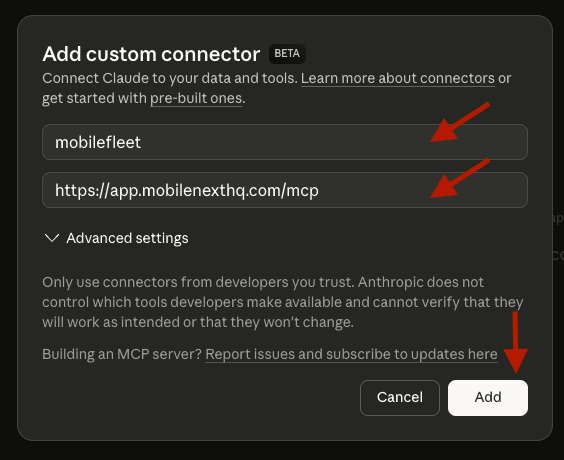
-
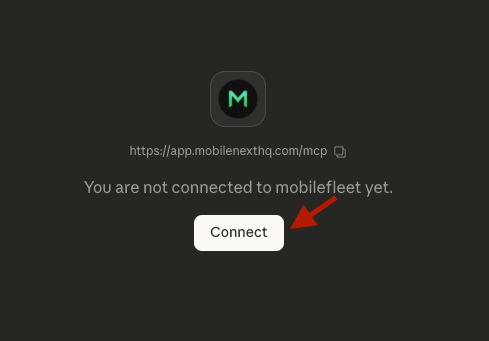
Lastly, click on "Connect" to start the authorization flow
-
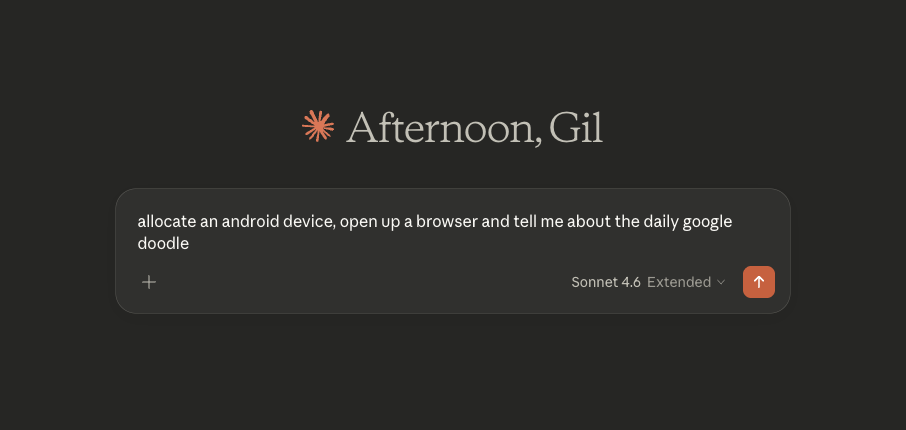
You have successfully connected Claude with Mobile Next Cloud ✅
Was this page helpful?